Showing posts with label Brain Pop. Show all posts

Tuesday, August 11, 2015

Tech Tip of the Day: Free Resources from BrainPOP!

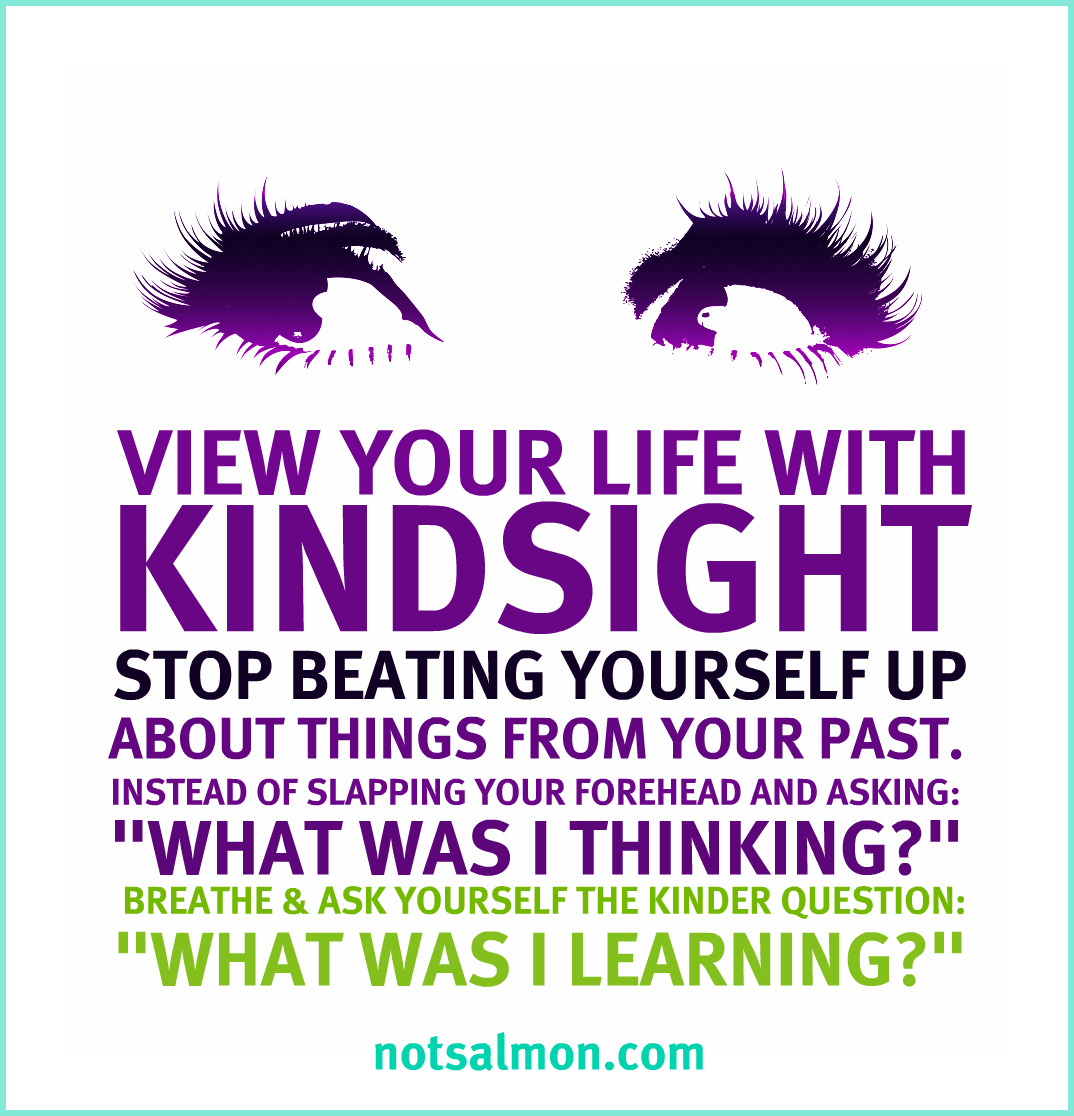
Inspiring Quotation of the Day 
Available at http://notsalmon.com/

Tech Tip of the Day: Free Resources from BrainPOP!
At both the ISTE 2011 and Microsoft in Education Global Forum in Prague 2012, I was fortunate to encounter the team from BrainPOP. BrainPOP has both web and app-based resources for education, most notably short animated videos on hundreds of topics and follow up quizzes. BrainPOP Junior is for students aged 5-8 and BrainPOP is for older students. There's also BrainPOP ESL for English as additional language learners, and BrainPOP available in French and Spanish (great for foreign language teachers and learners). 

BrainPOP is subscription-based, but they do offer a number of free resources at each site (click on free stuff on the main screen). If your school has the budget dollars, I highly recommend a subscription. Click on the following links to check it out. The movies are excellent for introducing a concept or reviewing, and my students love them!


Additionally, there are apps available for Android, iOS, Windows, and Kindle devices for all the above sites. The apps feature a free movie of the day or week, as well as additional free content. If your school has subscribed to BrainPOP, you can login and access everything from the app. But even without a subscription, there's a lot of great stuff available at no cost! The apps are perfect for schools encouraging students to bring their own devices. 

For great professional learning, please join the BrainPOP Educators Community. It's absolutely free to join, and the best part is the free webinars you can participate in. A webinar is an online training course about a particular topic. Often it is interactive and lasts about an hour. BrainPOP regularly has new webinars, plus they have a huge archive of past webinars that you can watch like videos. It's wonderful professional learning without leaving your classroom or home! 

Thursday, October 10, 2013

Tools to Support Project-Based Learning

If you've read my previous post, Surprise! We're Learning About Dinosaurs!, you'd understand how suddenly project-based learning opportunities can sneak up on you in the early years classroom. Since I wasn't expecting the dinosaur craze to hit today, I went with my go-to strategy--turn it back on the kids, brainstorm a list of what they know already, what they want to find out about the topic/what they can do to help, and how they can get the information they need. It worked well today, and in less than 90 minutes we accessed the school and classroom libraries, Brain Pop Junior, and composed a blog post that tracked our learning. Not bad for being caught off guard by a passel of passionate learners!

Every time I engage in a new learning project, I like to stretch myself as a teacher by bringing in one or two new tools to support the learning in the classroom. What am I thinking for our new dinosaurs project? Here's a few things I'm hoping to use...some tried, true, and tested, others brand new that I'd like to incorporate into my kindergarten program!

Skype in the Classroom is just one of those tools I can't get over. Skype is my go-to for just about everything. I plan to use this great site to connect with another class learning about dinosaurs and/or access a guest speaker--a paleontologist would be absolutely amazing. Or a Skype tour of Royal Tyrell Museum in Alberta would be terrific!
Popplet is a collaborative mindmapping tool that is web-based and available as an app. I heard about it this summer on Twitter as I follow #kinderchat. I think that Popplet will be the perfect tool for tracking, showing relationships among, and sharing our learning. I plan to start with using Popplet on our interactive whiteboard, then download the app to the mobile devices in our classroom. Check out this great interview with Kinder Chat co-founder Heidi Echternacht on the uses of Popplet in kindergarten. 

Microsoft Auto Collage: the pictures are where we're at in kindergarten, and already we've already spent many minutes pouring over gorgeous full-colour images of dinosaurs in many print resources. The students' fascination with pictures of dinosaurs provides a rich opportunity to model ethical and responsible use of images. We'll have a brief lesson about whose pictures we can use and visit Creative Commons together. As a class, we'll search for and download a few dinosaur pictures. Students usually lose interest pretty quickly in this process, so we'll do some together and I usually seek out the rest on my own. Once we have a bank of dinosaur pictures, we'll use Microsoft Auto Collage to create our own dinosaur collages to showcase our learning--students will generate their own topics, but I anticipate collages showing meat eaters, plant eaters, etc. This will also be a great time to teach students about the importance of generating their own images--by molding dinosaurs out of clay and photographing, drawing/painting dinosaurs and photographing, or using an app such as Draw and Tell or even good old Microsoft Paint! Auto Collage is available at Partners in Learning Network, so be sure to join for access to many free resources and a worldwide community of educators!

 As always, we'll share our learning and seek out collaborative partners through social media. We try to tweet regularly as @olcskinders and we post daily on our classroom Facebook page (it's a secret group). Read these past posts to learn more about how I use social media in kindergarten! Tips and Tricks for Tweeting in Kindergarten  The New Face of Parent Engagement

And who knows what directions we'll take next week as we continue to learn about dinosaurs. Our first priority will be to read dinosaurs books and keep track of important facts as we learn to use Popplet. As with all project-based learning in kindergarten, it's the students who are driving the bus! I'm just keeping it safe, purposeful, and pointed in the right direction!


Wednesday, May 1, 2013

Mindshare Learning's 21st Century Digital Classrom Video Challenge: A Look Back

A couple of weeks ago, I was contacted by Robert Martellacci of Mindshare Learning. He asked if I would be interested in giving a video interview for the May edition of the Mindshare Learning Report, reflecting on my technology journey and how winning their video contest two years ago had impacted my classroom practice. I was thrilled to talk to Robert again about the amazing opportunity afforded to my students and me by Mindshare, and in preparing for the interview, I went on this walk down memory lane....

In February 2010, I watched an amazing video created by Kathy Cassidy and her Grade 1 class. It was an award-winning entry in Mindshare Learning's 21st Century Digital Classroom National Video Challenge. Mrs. Cassidy and her students won $15 000 worth of technology prizes and professional learning, and I was inspired to enter the contest the following year.

I eagerly watched for the contest announcement. It was my first year of teaching a combined junior and senior kindergarten class, and I had made some changes in the ways I was infusing technology to support student learning. My students and I decided on a "Goodnight Moon" theme. We brainstormed a list of all the technology tools that helped us learn, then filmed a movie of us saying goodnight to each of them. The students explained how we used these tools to communicate, collaborate, problem-solve,and think critically and creatively. After an entire day devoted to editing and narrating, we had a movie that we were very proud of!
What tools did we use?
-a digital camera
-Microsoft Photo Story. Join the Microsoft Partners in Learning for access to great free tools for creating movies!
-Freeplay Music for a copyright-free soundtrack

In mid-January, I was meeting with my principal in her office, and our administrative assistant knocked at the door. She said there was someone on the phone for me. and she thought it might be about that video contest my class entered. With great trepidation, we took the call on speaker phone. After a brief chat with Robert Martellacci, he shared the exciting news--Goodnight 21st Century Learners had been selected as the Central Canadian prize winner. $15 000 of technology prizes and professional learning were on their way to Oak Lake Community School's kindergarten classroom! It was definitely the most exciting moment of my teaching career at that point, and I didn't hesitate to throw a party to celebrate with my friends and family after school!

We had so much fun posing for our picture for the official press release. We went with the theme of "We're 4 and 5 Going on 21...21st Century Learners" and dressed up as what we would like to be when we grew up.
It was like Christmas that spring as prizes from a variety of donors arrived by mail and courier. My classroom were the lucky recipients of:
-a huge SMART Board with a short drop projector
-SMART Response system (early years version)
-Front Row Lasso classroom amplification system
-Dell netbook
-Flip video camera
-year's subscription to Discovery Education
-professional learning sessions from Blossom Learning
-year's subscription to Net Trekker
-all-expense paid trip to the ISTE in Philadelphia

Two years later, we still use all of these tools on a daily and weekly basis. Our SMART Board is in constant use, as is my Front Row Lasso system. We engage in a variety of collaborative projects through Skype, Twitter, and Xbox Video Kinect, and the SMART Board and Front Row system greatly enhance these collaborations. Our Flip video camera has proven to be the perfect size for little hands, and it has been used to create countless videos sharing our learning.

But the best was still yet to come...an all-expense paid trip to the ISTE in Philadelphia in June! Through the generous support of our school board, my principal Brenda Masson was able to attend with me. We left on the weekend so that we could have a couple of days of touring and sightseeing, then attended the conference Monday-Wednesday. Although I had attended a Microsoft Global Forum before with 500 participants, I had never attended a conference of this magnitude! The most exciting moment was when we checked out the displays on our first morning. We found the Mindshare Learning booth and what did we see? Goodnight 21st Century Learners projected on a big screen, and my kindergarten students' cute faces smiling down from a banner!
 Over the course of the conference, Brenda and I attended some terrific sessions. We also spent quite a bit of time in the vendor displays, entering lots of draws, collecting the free giveaways, and learning about so many amazing products and services. Some of my favourites were:
Front Row: I made a great connection with Front Row at the ISTE that has evolved into my role as a teacher advocate for Front Row!

Brain Pop and Brain Pop Junior: I continue to love this wonderful video and educational resource site. The new Game Up! and Educators' Community have enhanced this already terrific site, and I was so excited to meet Dr. Kari Stubbs of Brain Pop in Prague at the Global Forum in 2012. Brain Pop very generously gave a free subscription to every educator at the Global Forum.

Reading Plus: this web-based tool builds fluency and reading comprehension in students from Grade 3 and beyond. This company provided us with training and a complimentary 6-month free trial. We absolutely loved Reading Plus and saw significant gains in our students' reading abilities. Sadly we were not able to afford a subscription the following year.

Learn to Be Healthy: this subscription site provides health education resources (videos, learning activities, etc.) for K-12.

As fantastic as the conference was, the absolute highlight was Mindshare Learning's Award Reception held jointly with the Canadian Consulate on Tuesday, June 28. The venue was beautiful--Philadelphia's Union League. When Brenda and I were touring on our first day, we passed the Union League building. Our tour guide shared that it was one of the United States' most exclusive clubs, occupying an entire city block with hotel, restaurant, and function rooms, and that most people would never see the inside of it. When we saw Robert at the ISTE and he told us that the Awards Ceremony was being held at the Union League, Brenda and I were beyond excited. We also decided that the dresses we brought we not fancy enough for an evening at the Union League and straight to the stores we went!
 Philadelphia's historic Union League building, Abraham Lincoln Room, was the scene of the reception
 The Canadian Consulate jointly hosted the reception with Mindshare Learning, and the Canadian Consul presented our awards.
Only one of the winning videos was shown at the reception. It was an extremely special moment when Goodnight 21st Century Learners was shown to the large crowd!
Receiving our awards and posing with the Canadian Consul, president of ISTE, and Robert Martellaci
The evening ended on a patriotic note when the crowd gathered and sang O Canada in both English and French. In honour of our location, we also sang Star Spangled Banner. It was a touching moment! Check out Mindshare Learning's Flickr photostream of the event.

As detailed in my video interview, winning the Mindshare Learning video challenge, receiving so many great tools, attending the ISTE, and the many great connections I made as a result have had a profound impact on my classroom practice. I would highly encourage every classroom teacher to enter this video challenge. Whether you're a winner or not, examining your classroom practice and sharing it with others is always an excellent opportunity for professional growth!


Tuesday, March 12, 2013

Rhyme Time

Teaching and reinforcing important rhyming skills has never been easier with the huge variety of multimedia resources available to kindergarten classrooms. Although we practice rhyming all year, I always designate March as the month where rhyming really becomes a focus.

Since March is Dr. Seuss' birthday, it's the perfect time to read his rhyming books. We completed a favourite learning experience based on the books "The Cat in the Hat" and "The Cat in the Hat Comes Back". After reading both books a number of times, we decided to create our own "Cat in the Hat" hats. We watched a Brain Pop video on rhyming words. This video was excellent, and extended rhyming words into reading and spelling word families of rhyming words. We paused the video at strategic points to provide our own answers and predict the rhyming words. The quiz at the end of the video provided additional practice, and the special helpers chose the correct answers on the Smartboard.

After a movement break, we watched one of my favourite rhyming Sesame Street videos, Gangsters: AN Plan. Then we retold the story in the video, using the rhyming words to remind us what part came next in the story. After discussing how the words rhymed, it was time to print them on the Smartboard. We talked about how the first letter/letters changes each time, but the last part always stays the same. Halfway through, we started using red for the onset and blue for the rime to make this really obvious.
The next step was modelling the creation of a Dr. Seuss hat. Using four white strips, we printed a different rhyming word on each. I modelled this while students gathered around on the floor, but using a document camera projected on the Smartboard would have been even more effective!

Students returned to their table spots with their four strips of white paper, printing a different rhyming word on each strip. Next they glued them on their Dr. Seuss hats to create this adorable finished product!
We're excited to model them this afternoon!