Showing posts with label skype. Show all posts

Wednesday, May 25, 2016

Connected Wellness Global Yoga Challenge

If you're a regular reader of this blog, you might have followed my journey last fall when I became a certified yoga teacher in Greece. Upon my return to the kindergarten classroom, I was excited to experiment with yoga as part of a developmentally appropriate play-based learning program. Read more here about how yoga has enhanced our connections to literature.

My young learners have embraced yoga as part of their daily routine and have benefited hugely from a daily yoga practice. So why yoga in the classroom?
-non-competitive
-encourages tolerance and acceptance of others
-promotes healthy habits
-countless physical benefits: strength, flexibility, balance
-teaches focus and improves ability to sustain attention
-teaches calming techniques and self-awareness
-promotes self-regulation and positive mental health
-more information available here 
And as always happens with my young learners and me when we are passionate about something, we want to share it with others. This started with practicing yoga with Mrs. Obach's Grade 1 class via Skype and teaching yoga poses to Miss Green's Grades 3/4 class in our own school. My boys and girls proved themselves to be very capable little yoga teachers and they loved connecting with classrooms around the world, so it made sense to combine these two interests into a global yoga challenge!

My colleague and best friend Leah Obach and I are both Microsoft Innovative Expert Fellows, and we agreed that two of our favourite Microsoft tools were perfect to support this project.
Skype: to connect classrooms to practice yoga together
One Note: to curate and share wellness resources such as yoga pose tutorials, links, and videos.
Both of these tools are free and multi-platform, which is really important when working with teachers around the globe.

Follow this link to view our Connected Wellness One Note resources.

Leah and I co-moderated a Manitoba Ed Chat (#mbedchat) on Twitter that focused on wellness in school communities. It was a great opportunity to launch our Connected Wellness Global Yoga Challenge, and we shared a link to a sign up form. It was exciting to recruit 21 classrooms from around the world to take part in the week-long event! Check out our Bing map showing all the participants!
March 14-18 was our designated week for the Connected Wellness Global Yoga Challenge, and my boys and girls worked hard to select their favourite poses and breathing techniques. We created tutorials for each pose using photographs and shared writing. We also made short videos for breathing techniques and sequences such as sun salutations. As mentioned above, all these resources were organized in One Note. As we created these resources, we discussed the importance of using our own images and work. It's never too early to build digital citizenship!
As we created our pose tutorials, the learning was multi-disciplinary. We uncovered descriptors from the Literacy with ICT continuum, physical education/health outcomes, as well as ELA outcomes as we captioned the photographs. 

Once our tutorials were made, we used Microsoft Publisher to create a calendar for the week showing what was happening each day. This gave learners a practical application for our daily calendar work. We chose one or two yoga poses or breathing techniques for each day of the challenge.  
And finally the long-awaited week was here. I woke up early each morning to share the daily pose tutorials with our participants, using Twitter and email to make sure that everyone received the One Note links. Each day of the challenge, we connected with three classrooms:
-a daily morning yoga practice with Mrs. Obach's Grade 1 classroom via Skype
-a daily afternoon yoga practice with Miss Green's Grades 3/4 class in our school 
-a Skype call to connect with challenge participants virtually--it was so exciting to teach yoga to "big kids" at university and a French immersion classroom in Brandon 

Each day of the challenge, participants were encouraged to post pictures and videos on social media practicing the daily pose(s) using the hashtag #connectedwellness. It was so exciting to check Twitter and Instagram to view the pictures and read the captions. Pictures of students practicing yoga in school uniforms sparked a lot of questions from my kindergarten students. 

To conclude our challenge, we collaborated with Mrs. Obach's class in person to practice yoga and make a video showing all the photographs from the week. Watch our movie here. My students, our Grade 1 partner classroom, Leah, and I all agreed that it was an excellent week of yoga--we shared important wellness practices with 21 classrooms and their teachers and definitely raised awareness for wellness in schools! 

If you are interested in trying out our Connected Wellness Global Yoga Challenge, please check out the resources in One Note. Try any of the poses on your own or with your students and tweet it to us using @india0309 and #connectedwellness. We'd love to hear from you or connect via video call! Until then...namaste!


Wednesday, September 24, 2014

The Pigeon Has Landed in Senior Kindergarten

As we regularly Skype with Mrs. Obach's Grade 1 class (now her Grade 2 class as she has looped with this fabulous bunch of learners), we knew that they were passionately interested in reading Mo Willems' pigeon books. When they decided to write their own pigeon books in the style of Mo Willems', we followed with interest and learned alongside them as they investigated copyright rules for using an author/illustrator's character. We were excited for them when they were granted permission by Mo Willems to create their own pigeon stories! And talk about great digital citizenship at a young age...they actually contacted Mo Willem's publisher to find out if they could draw and write about his characters!

Our first day of senior kindergarten began with one of our Grade 2 friends sharing her pigeon story, and with that the pigeon craze came home to roost in Oak Lake Community School's senior kindergarten program! Since the first day, we have enjoyed one or two pigeon stories each day from our Grade 2 guest authors via Skype, and we've adapted the project to suit our kindergarten interests and abilities. Here's what we've been up to!

Reading and exploring: we've read every single one of Mo Willems' pigeon books MANY times. We've examined how the author uses speech and thought bubbles, hearts, different kinds of text, and punctuation. We've watched a number of YouTube adaptations of Mo Willems' books...some definitely better than others. This one is our favourite!

We also graphed our favourite Mo Willems' pigeon title on the SMART Board. Here's the slide if you'd like to use it.

Learning to use speech and thought bubbles: after discussing the speech and thought bubbles in Mo Willems' books, I taught a mini-lesson on why and how to use speech and thought bubbles in writing. To make it more fun, we added speech bubbles and used different kinds of text (and hearts) to a few pictures of us.
speech bubbles_1

http://kinectingclassrooms.files.wordpress.com/2014/09/speech-bubbles_2.jpeg

Drawing the pigeon: we visited Mo Willems' site and found this tutorial to learn to draw the pigeon. We went through it step by step, and I could NOT believe how well my students did! By the second time we drew the pigeon, we had some fantastic artwork! Wow!
20140923_214936000_iOS

Publishing our first book online: Next we took all of our pigeon drawings and organized them into a book. We developed a simple story together and I used speech bubbles to caption each picture. Our first attempt is very rudimentary, but the kids love our first book, "Don't Let the Pigeon Go to the Ice Cream Store" and we've read it many times!

Don't forget about the duckling: next the students insisted that we learn to draw the duckling. We explored a few tutorials on YouTube, but eventually just referred to Mo Willems' illustrations. The results were equally impressive, and we had a gallery walk to share our work!
20140919_155912298_iOS 
20140919_160333660_iOS

Authoring our own stories: now that we are proficient in drawing the two main characters, the duckling and the pigeon, we investigated how an author develops a story. Today we focused on beginning, middle, and end, and examined each pigeon book. To develop our understanding of beginning, middle, and end, we watched a great video on Discovery Education Canada, Discovering Language Arts: Beginner Writing--the segment on beginning, middle, and end was simple and appropriate for kindergarten kids! We also viewed Brain Pop Junior's video on plot. It contained a ton of useful information, but it was a little too advanced for my little ones. However, we did recommend it to Mrs. Obach's Grade 2 class!

Setting up our writing centre: now that we are eager to develop our own pigeon and duckling stories, we wanted to have a special place in our classroom to do so. Today we set up our writing centre. We've included these supplies so far: blank booklets for writing stories, clipboards and paper, writing materials (markers, pencils, crayons, erasers), and an alphabet linking chart. We were eager to get started during centre time today!
 photo-4
What are our next steps? Well each of us is excited to create and author our own duckling and pigeon book to share with the class. But I'm interested to take it a step further...the Windows App store has launched a new app called Chekhov Story Author that I'd love to try....creating our own eBooks in kindergarten? Why not! Even better if we could narrate the story to match our drawings!
We'll keep you posted!

Monday, May 12, 2014

Exploring the Hundred Chart with Mystery Number Skype

We have used Skype extensively in kindergarten for a number of years, but we have never participated in Mystery Number Skype. After attending Kathy Cassidy's presentation at Awakening Possibilities last month, I was inspired to put this idea into practice with my colleague Leah Obach and her grade 1 class.

How does Mystery Number Skype work? Well it's beyond simple actually! Each class chooses a mystery number based on whatever criteria you have set. We are currently focusing on numbers 1-100 at the moment. The classes then connect on Skype. One class goes first, and asks the other class yes/no questions to narrow down what the mystery number could be. Once the first class guesses the number correctly, the other class takes their turn. McGraw-Hill's Monster Squeeze app is a great way for students to increase their understanding of how to narrow down a range of numbers.
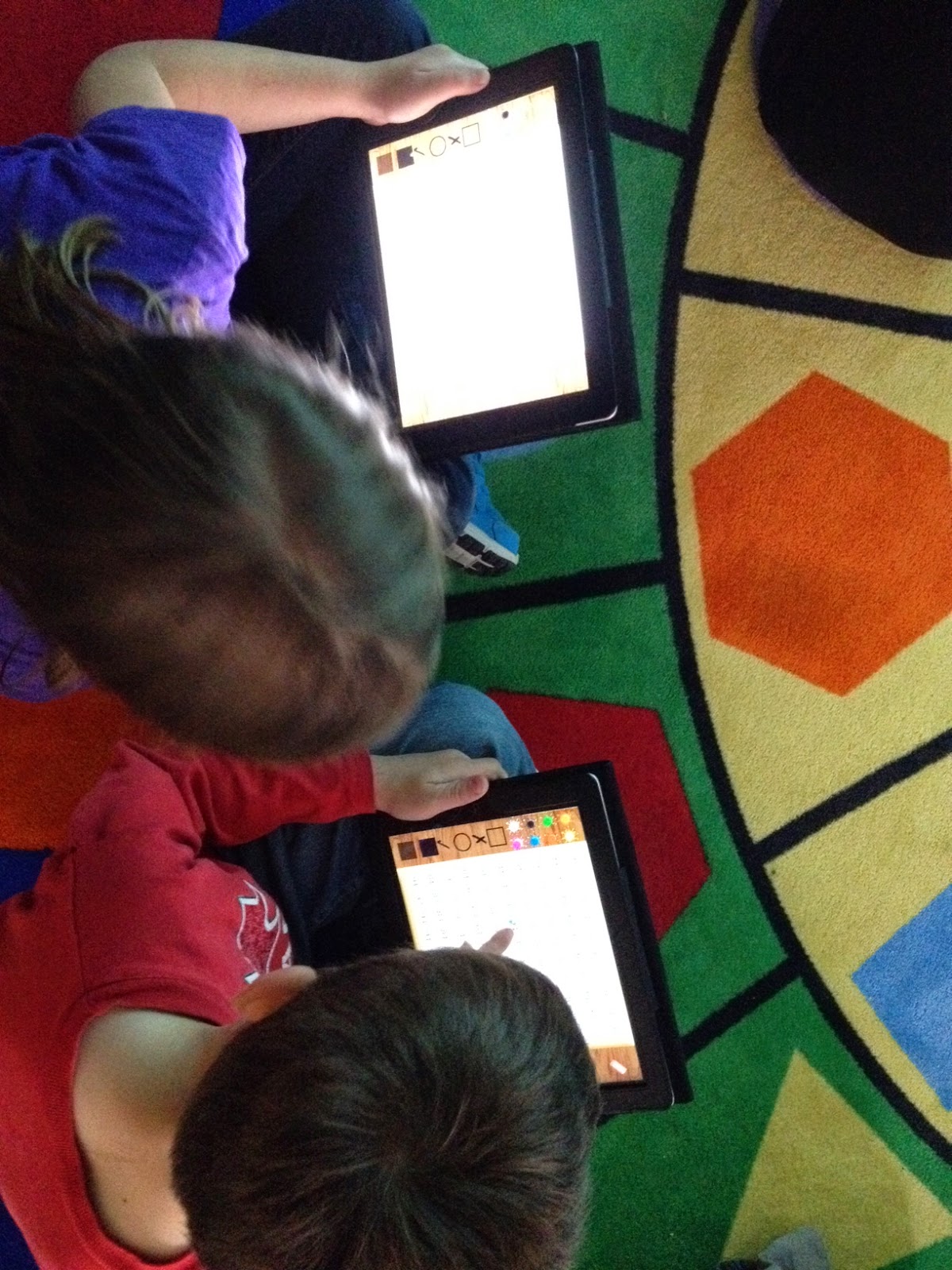
We share the screen and use the interactive hundred grid in SMART Notebook to give both classes a visual. As it is narrowed down, students flip over the numbers. My students each have their own device to use, so we are using the Hands On Math Hundred Chart app. Learn more about how the app works in this tutorial video. Students were super engaged as they asked questions and coloured in numbers on their device during Mystery Skype.

 We have done mini-lessons on "smart" questions to ask, and these are the questions we are hearing from our students during Mystery Number Skype:
Is it higher than __?
Is it lower than __?
Is it between __ and __?
Is it in the forties, fifties, sixties, etc.?
Does it end with a __?

After three days of Mystery Number Skype, Leah and I have decided that a few new mini-lessons are needed to stretch the students' thinking and question-asking abilities. Topics we plan to address in the next week include odd/even numbers, skip counting patterns, and the difference between "teen" and "ty" (decade) numbers. Leah's Grade 1 class already demonstrates a good understanding of teen/ty numbers, so her students may actually teach a mini-lesson to my students.

Today our classes competed to see who could solve the mystery number asking the fewest number of questions. We tallied each question on the SMART Board as they were asked, which definitely increased student motivation to ask "smart" questions. This provided another role for students to play during Mystery Number Skype as well as some great skip counting practice.

After only 3 days of Mystery Number Skype, I am really impressed by the growth I've seen in my senior kindergarten students' abilities to use and ask reasonable questions about the hundred chart. Their excitement and engagement is through the roof as well. If you're looking for a fun way to connect with another class and develop 21st century skills in your students while boosting numeracy skills, this is it!

Thursday, October 10, 2013

Tools to Support Project-Based Learning

If you've read my previous post, Surprise! We're Learning About Dinosaurs!, you'd understand how suddenly project-based learning opportunities can sneak up on you in the early years classroom. Since I wasn't expecting the dinosaur craze to hit today, I went with my go-to strategy--turn it back on the kids, brainstorm a list of what they know already, what they want to find out about the topic/what they can do to help, and how they can get the information they need. It worked well today, and in less than 90 minutes we accessed the school and classroom libraries, Brain Pop Junior, and composed a blog post that tracked our learning. Not bad for being caught off guard by a passel of passionate learners!

Every time I engage in a new learning project, I like to stretch myself as a teacher by bringing in one or two new tools to support the learning in the classroom. What am I thinking for our new dinosaurs project? Here's a few things I'm hoping to use...some tried, true, and tested, others brand new that I'd like to incorporate into my kindergarten program!

Skype in the Classroom is just one of those tools I can't get over. Skype is my go-to for just about everything. I plan to use this great site to connect with another class learning about dinosaurs and/or access a guest speaker--a paleontologist would be absolutely amazing. Or a Skype tour of Royal Tyrell Museum in Alberta would be terrific!
Popplet is a collaborative mindmapping tool that is web-based and available as an app. I heard about it this summer on Twitter as I follow #kinderchat. I think that Popplet will be the perfect tool for tracking, showing relationships among, and sharing our learning. I plan to start with using Popplet on our interactive whiteboard, then download the app to the mobile devices in our classroom. Check out this great interview with Kinder Chat co-founder Heidi Echternacht on the uses of Popplet in kindergarten. 

Microsoft Auto Collage: the pictures are where we're at in kindergarten, and already we've already spent many minutes pouring over gorgeous full-colour images of dinosaurs in many print resources. The students' fascination with pictures of dinosaurs provides a rich opportunity to model ethical and responsible use of images. We'll have a brief lesson about whose pictures we can use and visit Creative Commons together. As a class, we'll search for and download a few dinosaur pictures. Students usually lose interest pretty quickly in this process, so we'll do some together and I usually seek out the rest on my own. Once we have a bank of dinosaur pictures, we'll use Microsoft Auto Collage to create our own dinosaur collages to showcase our learning--students will generate their own topics, but I anticipate collages showing meat eaters, plant eaters, etc. This will also be a great time to teach students about the importance of generating their own images--by molding dinosaurs out of clay and photographing, drawing/painting dinosaurs and photographing, or using an app such as Draw and Tell or even good old Microsoft Paint! Auto Collage is available at Partners in Learning Network, so be sure to join for access to many free resources and a worldwide community of educators!

 As always, we'll share our learning and seek out collaborative partners through social media. We try to tweet regularly as @olcskinders and we post daily on our classroom Facebook page (it's a secret group). Read these past posts to learn more about how I use social media in kindergarten! Tips and Tricks for Tweeting in Kindergarten  The New Face of Parent Engagement

And who knows what directions we'll take next week as we continue to learn about dinosaurs. Our first priority will be to read dinosaurs books and keep track of important facts as we learn to use Popplet. As with all project-based learning in kindergarten, it's the students who are driving the bus! I'm just keeping it safe, purposeful, and pointed in the right direction!


Wednesday, January 23, 2013

Differentiating with Skype

While curling last night in our local bonspiel, my friend and colleague, Leah Obach, and I were discussing lesson plans for the upcoming day.

As you can see from the above Photobooth picture, we are not the most serious curlers on the ice!

Leah mentioned that she was teaching a lesson on -all and -ight words the following day. I replied that one of my K guided reading groups had just read the book "Balls" and worked on -all words as well. It didn't take us long to decide that my guided reading group should skype into her classroom to participate in the word sort lesson.
It was an exciting morning in the K room. Half of my class worked on letter and number printing with my EA while the remaining students skyped in to Mrs. Obach's class. We debated the merits of using SMART Bridgit so that the word sort could be truly interactive, but decided against it. Often we experience a delay with it, and the size of the web cam picture is very small. Instead we used the screen share feature in skype with one of Leah's special helpers moving the words for us when it was our turn. Leah did a quick mini-lesson on -all and -ight words, explaining how they rhymed with each other. She also discussed how to decode them by using the rime that we knew and adding the new sound on the front. Each classroom took turns reading and sorting words.
 I was so proud of my senior kindergarten students. They had no problem keeping up with the Grade 1s, and capably read both -all and -ight words. The level of engagement was high during the 15 minute call, and no reminders were needed to keep boys and girls on task. Mrs. Obach led the activity, while I occasionally prompted and encouraged my students. Once the call ended, my guided reading group showed the rest of my K class how to read and spell -all and -ight words, creating this slide on the SMART Board.
I was so excited to see how well Skype worked as a tool to provide differentiation to the learners in my K class. By using technology to connect a small group of my K students with a Grade 1 class, my boys and girls were able to participate in a learning experience that was at the perfect level for them. They were then able to apply their learning and teach the concept of -all and -ight words to the other students in my classroom. Ultimately, it is our goal that students will be able to engage in these Skype learning experiences with minimal adult guidance.

Monday, November 19, 2012

The Wonders of Skype

Skype is one of those wonderful free tools that never ceases to amaze me. We have been skyping in my K classroom on a regular basis since 2008. Originally, we started using Skype as a way to connect with other classrooms and find out about their schools, daily lives, and cultures. The students and I were both so excited to have a window into another classroom! However, our calls were often kind of random with no specific purpose in mind. Just the experience of using skype and chatting with learners and teachers from around the world was enough for us.

That all changed when I attended a session entitled "Around the World in 80 Schools" in 2010 (Teacher 2 Teacher Conference in Bow Island, Alberta) with Silvia Rosenthal Tolisano. She shared how she turned a Skype call into a learning call in her classroom with important pre- and post-call activities, and a variety of roles assigned during the Skype call. Every learner in her classroom fulfilled an important function and numerous curricular outcomes were met whenever her classroom connected via Skype. Please click on this link to view this PDF file on turning a Skype call into a learning call--it's a great resource!

Although Silvia's model was a bit advanced for my junior and senior kindergarten students, it had a profound impact on how I wanted to infuse Skype into my students' learning. In the next couple of years, Skype became a mainstay in my technology toolbox. My colleague Leah Obach and I partnered on a number of collaborative projects involving Skype and other tools, such as:

Superheroes: my K class partnered with Leah's Grade 11 ELA class. First, all students used Big Huge Labs to create trading cards to introduce the students in both classes. The next step was to brainstorm the qualities of heroes and villains using a collaborative brainstorming tool, Cacoo.  My K students designed their own superheroes using paper and markers, and we photographed and posted them to our classroom blog. Each of Leah's students chose a superhero and wrote a short story for that superhero (lots of important lessons about audience, level of language, etc). They used the website Hero Machine to create a digital picture of each superhero, then narrated it with Audacity. Using Windows Movie Maker, the students created a digital story of each superhero. These digital stories were transferred to classroom iPods where they could be listened to over and over at a listening centre. The highlight of the project was the use of Skype. Each day, a different high school student skyped in for Skype Storytime. The student introduced him/herself then read the story to the students via Skype. My K students were so excited and engaged, especially when their superhero was being featured. It was a very successful project, providing students with a real audience and feedback for their work.

Digital Team Teaching with Skype: And then my colleague was transferred to Grade 1. We knew that it would be easy to find reasons to connect, but we wanted to take it to the next level. And digital team teaching was born. We began to use Skype (and occasionally Smart Bridgit) to connect our classrooms for actual learning experiences. Leah and I took turns leading these learning experiences via Skype while the other teacher supported. Kindergarten learning experiences often provided important practice and review for Grade 1 students, while activities from Grade 1 stretched and enriched my kindergarten students. Math games and story problems worked especially well for digital team teaching using the screen sharing feature. This project is ongoing, with the goal of small groups of students skyping into the other classroom as a means of differentiating instruction.

And today, we skyped with a junior kindergarten class from the Mandell School in New York City. They located us on Skype in the Classroom, and contacted us to see if we would be interested in working on communities outcomes from the social studies curricula. It was a perfect fit for us. Have a look at some of the slides we created to share with our New York friends.


Our questions and the answers we found out: