A very special little girl in senior kindergarten has lived with her foster family since birth, and one day this spring she announced that she had exciting news. I quieted the class and asked her to share it with everyone. My heart burst with happiness when she told us that her mom and dad were adopting her! All of the students were eager to know what adoption meant. Before I launched into a long complicated explanation, I asked my little girl if she could explain it to the class. "Yes, " she answered confidently, "It means that I get to live with my mom and my dad and my sister and my brother forever and ever."
I explained to the class that this was a big deal and asked them if they would like to help my student and her family celebrate. "Yes!" they said enthusiastically, "Let's have a party!" And so began another interdisciplinary project-based learning experience in Mrs. Caldwell's kindergarten classroom!
Here's what we did:
1) through shared writing on our SMART Board, we wrote a letter to Mrs. Masson (our principal) asking for permission to have a party.
2) used shared writing to write another letter to our custodian asking if he would help us set up our party.
3) once we got approval, we made a to-do list. Our lists basically serve as my lesson plan and guide the project. We refer to it several times a day to stay on track. Based on the list, I design learning experiences based on K curricula to give my students the skills they need to successfully complete the project.
4) we used shared writing to print a guest list. We included school board members, senior administration, all families, all staff members, the student's bus driver, and Child and Family Services workers. We decided to collect donations at the door for Child and Family Services Foundation to help kids and families in care.
5) we used a hundred chart on the SMART Board to track how many people were invited and how many people replied that they were coming. We printed numbers from 1-100 as we tracked attendance.
6) we designed invitations using Microsoft Publisher. We focused on ethical and responsible use as we created our own images rather than use someone else's work. The students decided on a dress code: pink for the girls and handsome clothes for the boys.
9) we wrote a post on our classroom Facebook page requesting that families send pink food and pink drinks for the party as it was my little girl's favourite colour.
10) we folded invitations in half (great math connection) and addressed envelopes (visual-motor coordination was strengthened as we copied off the SMART Board).
11) we made decorations for the classroom, all in pink of course, and a huge B for the door with pictures of our special student.
12) we selected two songs to perform: Skinnamarink and I Love You, You Love Me (from Barney)
13) we wrote a classroom Facebook post asking parents to send a family picture to Mrs. Caldwell
14) we used Animoto to make a movie of all our families. We wanted our party to celebrate ALL families!
15) we designed a special framed picture of our student for everyone to sign as a guest book.
Here's what the big day looked like! It was a huge success and we raised $113 for Child and Family Services Foundation. My student and her family were honoured, and it was so emotional and touching to celebrate such an important event.
We raised $88.15 plus a $25.00 cheque we found out about later. It was a great opportunity to count coins and bills by 1s, 2s, 5s, and 10s. This was an unforgettable day that was one of the most special experiences in my kindergarten career!
Wednesday, June 10, 2015
Thursday, March 19, 2015
Planning For Play
If you're reading this blog, you are probably already well-versed in the benefits, and absolute necessity of, play in kindergarten. Before I even fully understood all of this myself, I always gave my kindergarten students an hour of play each day. Since beginning my kindergarten journey in 2008, here is how the play in my room has evolved.
1) 5 centres with a workboard. Students organized in groups, rotated through centres when a timer rang. No student choice as to where or with whom they played.
2) A number of play centres. Student names on clothes pins, number limits imposed on centres, but students were allowed to choose where and with whom they played. Students moved to a new play activity after a specified amount of time.
3) A number of play activities available to students. Number limits imposed on play activities, but students were allowed to play wherever and for as long as they would like.
4) And most recently, there are many play activities available to students. Number limits are removed and students are allowed to play wherever and for as long as they would like. We spend time practicing negotiation skills and problem-solving. Many students are fully engaged in play, but at times the atmosphere is extremely chaotic and some students wander from one group to another without engaging with other children. What to do?
At the recent Leading for a Strong Start conference in Winnipeg, of course I became involved in a discussion of what play looked like in different kindergarten classrooms. My friend Connie Lowe told me that in the past she had used play plans and felt that it was time to try them again this year. What is a play plan? Follow this link for more information, but to summarize, a play plan is an oral or written plan for play that includes whom a child will play with and what they will do. If a student's play plan is not working for him/her, it is possible to revise the plan.
In junior kindergarten, we are working on oral play plans. In senior kindergarten, we started with oral play plans and have now moved to written play plans. My student teacher hass invaluable in implementing this new approach in kindergarten--read her thoughts on the topic here.
Here's how it looks in senior kindergarten:
We spend a few moments talking with our friends at the circle and orally developing our play plans. When we are ready, we get a piece of paper that reads "Play Plan 1" and "Play Plan 2". We draw pictures of our play, and when we are ready we caption our pictures. We print our friends' names (by asking our friends how to spell or checking the word wall). If we are feeling super smart, we print words to tell where we will play. Above, students use the word wall to print names and play activities.In this picture, students are telling each other how to print their names.
Students draw pictures of their upcoming play.
Denver will play with Lincoln and Liam using blocks and animals for both periods of play.
Austin will play with Andre at the pirate ship and later move to trains.
After two weeks of play plans, here is what we've found:
-students are enthusiastic about developing play plans and often begin talking about their plans as soon as they arrive
-occasionally students change their plans, but not often. To change their plans, they have to draw what they would like to do and print their friends' names.
-students have to consider if they are okay about playing on their own if no one else is interested in playing at that activity. Sometimes students are content playing alone and other times, they revise their plan.
-students appear very purposeful and engaged in their play
-the room has a very focused feel
-reduced anxiety about whom they will play with and what they will do as there is a plan in place to follow
-excellent motivation and purpose for writing! Students are excited to draw and write their plans and I am eager to scaffold their writing.
As a teacher, if I have students create play plans earlier in the day, I have time to reflect on how I will become involved and extend the play. Yesterday, a number of students wanted to play with blocks and animals (which they later turned into a hockey rink), so I decided to include popsicle sticks, small pieces of cardstock, tape, and markers. I modelled how to make a sign for their hockey rink then left it up to them. Students made at least 8 signs for their structure and I had a chance to observe and extend their literacy skills. This would not have been as easy or impactful without play planning.
Sharing with others...
As Connie hasn't introduced play plans to this year's class yet, she asked my boys and girls if we would be willing to Skype in and teach her boys and girls all about play plans. We photographed the steps in the process and showed them how we use our word wall.
Next steps...
-developing a chronological collection of play plans to document growth in literacy, drawing, social connections, and complexity/variety of play
-writing and drawing mini-lessons based on what I observe during play planning time to address student needs and expand their skills
So if you haven't tried play plans, I encourage you to adapt this to your classroom! My boys and girls are available to Skype in and get you started!
Developing Fine Motor Skills Through Exploration and Play
As a junior and senior kindergarten teacher, it's very important to provide a variety of activities for young learners to strengthen their developing fine motor skills. If these activities are student-directed and encourage play and exploration, even better! Students with strong fine motor skills experience more success with cutting, printing, drawing, colouring, and manipulation tasks.
When we first began developing our junior kindergarten program in 2010, DIAL-III results indicated a real weakness in fine motor skills in our pre-school population. Our school division's occupational therapist, Rob Thiessen, was a great help in developing classroom activities that would strengthen fine motor skills of all students. Five years later, I was excited when I was asked to share these activities in Winnipeg at Leading for a Strong Start--a full day of play-based learning as we introduced our new kindergarten support document to school superintendents and principals.
Take a look at how you can create play-based learning activities for your classroom to target fine motor skill development!
Clipping clothes pins onto flowers strengthens pincer grasp. Matching dot patterns and numerals adds some math outcomes as well. A similar activity could involve matching letters on clothespins to pictures for beginning sounds.
Using large clips to transfer pompoms to an ice cube tray also strengthens pincer grasp. Colour coding the ice cube trays would add another layer to this activity.
Penny races: two friends race to see who can cover their X first with pennies. Rolling a die to see how many pennies students can use at a time would add subitizing and counting practice.
Any kind of water play is always so much fun! Squeezing eye droppers is excellent fine motor and eye-hand coordination practice. Students fill the spaces on large lego blocks in this activity. Using clear containers and water coloured red, blue, and yellow fosters exploration of colour mixing.
Big kids really enjoyed testing their speed and fine motor skills during playtime at the conference!
Other activities included:
Spider Silk (2nd photo): students help spiders catch insects by wrapping spider silk (yarn) around insects.
Alphabet Sort (3rd photo): students use tweezers to choose an alphabet bead and sort it into a labelled ice cube tray. The beads feature uppercase letters, so students could match to a lowercase letter in the ice cube trays.
Q Tip Printing (4th photo): students print letters and numbers using their fingers or Q Tips on Ziploc bags filled with paint. Adding bubble wrap to the bags provides sensory feedback when students print with their fingers.
Tennis Ball Monsters (5th photo): students feed bingo chips to tennis balls with a slit cut in them. Adding googly eyes makes them look more monster-like. Students can spin a spinner/roll a die and count a certain number of bingo chips. Feeding the tennis ball monster with tweezers adds another level of challenge.
Cotton Ball Race (6th photo): students use a turkey baster to squirt air at a cotton ball. The first person to move their cotton ball from one of the table to the other wins. A great activity for increasing hand strength!
In my kindergarten room, we spend the first 20-30 minutes of each day on discovery learning. Fine motor activities such as the ones above are a perfect way to begin your day as boys and girls arrive at school. Adding opportunities to explore numeracy, literacy, and science outcomes increases the level of challenge and differentiates for learners.
When we first began developing our junior kindergarten program in 2010, DIAL-III results indicated a real weakness in fine motor skills in our pre-school population. Our school division's occupational therapist, Rob Thiessen, was a great help in developing classroom activities that would strengthen fine motor skills of all students. Five years later, I was excited when I was asked to share these activities in Winnipeg at Leading for a Strong Start--a full day of play-based learning as we introduced our new kindergarten support document to school superintendents and principals.
| So much fun spending time with some of Manitoba's leading early years teachers--pictured above are Connie Lowe and Deidre Sagert from St. James-Assiniboia School Division! |
Clipping clothes pins onto flowers strengthens pincer grasp. Matching dot patterns and numerals adds some math outcomes as well. A similar activity could involve matching letters on clothespins to pictures for beginning sounds.
Using large clips to transfer pompoms to an ice cube tray also strengthens pincer grasp. Colour coding the ice cube trays would add another layer to this activity.
Penny races: two friends race to see who can cover their X first with pennies. Rolling a die to see how many pennies students can use at a time would add subitizing and counting practice.
Any kind of water play is always so much fun! Squeezing eye droppers is excellent fine motor and eye-hand coordination practice. Students fill the spaces on large lego blocks in this activity. Using clear containers and water coloured red, blue, and yellow fosters exploration of colour mixing.
Big kids really enjoyed testing their speed and fine motor skills during playtime at the conference!
Other activities included:
Spider Silk (2nd photo): students help spiders catch insects by wrapping spider silk (yarn) around insects.
Alphabet Sort (3rd photo): students use tweezers to choose an alphabet bead and sort it into a labelled ice cube tray. The beads feature uppercase letters, so students could match to a lowercase letter in the ice cube trays.
Q Tip Printing (4th photo): students print letters and numbers using their fingers or Q Tips on Ziploc bags filled with paint. Adding bubble wrap to the bags provides sensory feedback when students print with their fingers.
Tennis Ball Monsters (5th photo): students feed bingo chips to tennis balls with a slit cut in them. Adding googly eyes makes them look more monster-like. Students can spin a spinner/roll a die and count a certain number of bingo chips. Feeding the tennis ball monster with tweezers adds another level of challenge.
Cotton Ball Race (6th photo): students use a turkey baster to squirt air at a cotton ball. The first person to move their cotton ball from one of the table to the other wins. A great activity for increasing hand strength!
In my kindergarten room, we spend the first 20-30 minutes of each day on discovery learning. Fine motor activities such as the ones above are a perfect way to begin your day as boys and girls arrive at school. Adding opportunities to explore numeracy, literacy, and science outcomes increases the level of challenge and differentiates for learners.
Wednesday, February 11, 2015
Warming Up to Project-Based Learning: The Perfect Winter Project
So project-based learning is kind of "our thing", and we hadn't tackled a big project since our Kids Who Code Code-a-thon in December. I was checking my email one morning while the kids were playing outside and discovered a message from World Wildlife Fund Canada about National Sweater Day. After reading it to my class, I asked them if they would be interested in turning down the heat and wearing sweaters and the answer was a resounding yes!
Our first task was to research why wearing a sweater and turning down the heat was an important action to take. We read the information on WWF Canada's website, then visited Brain Pop Junior to learn more. A video about Arctic habitats gave us more information about climate change and its impact on cold weather animals. Once we understood why we wanted to turn down the heat and wear sweaters, it was time to take action.
We used shared writing on the SMART Board to compose a letter to our principal asking if we could turn down the heat in our school. We also wrote a letter to our custodian asking if it was possible to turn down the heat. We weren't sure if our school's temperature was controlled remotely or by a computer. Once we got permission, we used Twitter to invite some of our partner classes to participate with us--Mrs. Obach's Grade 2 class and Mrs. Lowe and Mrs. Lyburn's kindergarten classes. We even tweeted my "big kids" at Brandon University and asked my second-year Bachelor of Education students to join us too!
A to do list is essential to every project-based learning experience in our classroom. It basically becomes my lesson plan until the project is complete, and I think learning how to generate and follow a to do list is an important life skill.
We used the calendar generator in SMART Notebook to create January and February calendars, then made a countdown. It was terrific daily practice in counting down from 10-1. The picture below shows us experimenting with QR codes, There wasn't enough room on the invitations we designed, so a QR code seemed like a great way to add more information. QR codes were magic to my young learners!
We designed our invitations and posters as a class on the SMART Board using SMART Notebook software. All images were from the gallery, and we discussed why it was okay for us to use these images. As you'll see from the invitation, we had to celebrate National Sweater Day a day earlier as we didn't have school on February 5!
Once invitations and posters were complete, it was time to flood our social media channels. We used Instagram, Twitter, and Facebook to share these images and challenge other classes and our families to join us in wearing a sweater and turning down the heat. We discussed who we would tag and what hashtags we would use. My kindergarten students understand that hashtags "group pictures together" and "they can be funny sometimes".
We printed enough invitations for the entire school and our families. We printed them four per sheet to save paper, so it was a great opportunity for a mini-lesson on halves and quarters. Students further developed their fine motor skills as they cut all the invitations in half, then half again.
Our next job was to visit each classroom with our clipboards and count how many students. Our class numbers were perfect for students working on teen numbers. Lots of opportunities to count and represent those tricky teens!
After surveying each classroom, we counted invitations into piles and labelled them with each grade and the correct number.
We were excited to deliver the invitations to each classroom. We practiced how to knock politely, wait until the door was open, and what to say.
We decided to make a commercial to promote National Sweater Day. So we examined a number of popular TV commercials to learn more about advertising and what makes an effective commercial. We made our own commercial to promote National Sweater Day using Windows Live Movie Maker. The boys and girls thought of these reasons and printed them all by themselves. We shared it on social media and showed the whole school at our sweater day assembly.
We learning more about patterns and designs through sweaters. I used this learning experience to explore patterns and designs with my K students, then we used various materials to create patterns and designs on paper sweaters. We photographed them and shared them through Instagram, then used them for decorations in our classroom.
Finally the big day was here! We arrived in our sweaters to a chilly school. We collaborated with Ms. Lees, our community schools connector, and Mrs. Masson, our principal, to lead an assembly first thing in the morning. We explained why it was important to turn down the heat and who and what we were helping. Everyone loved our sweater commercial and laughed in the right parts!
After assembly, it was time to get started on making and serving hot chocolate to the whole school. We used our survey numbers from the other day and ten frames to count out stacks of cups for each classroom. We labelled each stack with the classroom name and the number. Using big ten frames on the floor was a great way to see that teen numbers consist of ten and another number.

We made a schedule so that everyone had a turn delivering hot chocolate to the classrooms in our school.
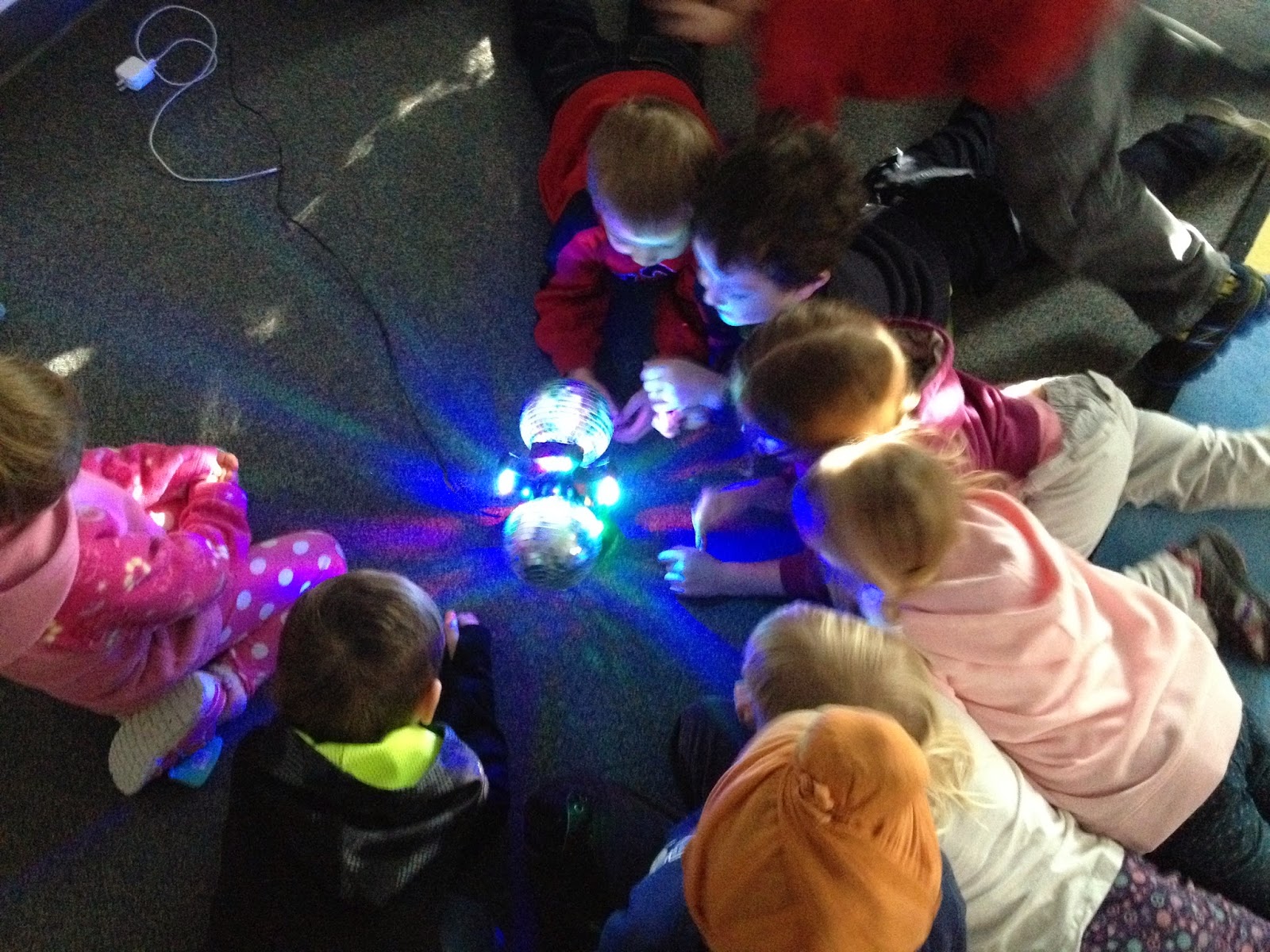
And just when we thought the day couldn't get any better, we had a dance party to warm up! Complete with a disco ball!
Elder Frank Tacan from Sioux Valley Dakota First Nation visited our classroom. He shared the seven teachings with us, and explained how what we were doing on National Sweater Day fit within those teachings. We loved learning about the dream catcher too.
And the big kids at Brandon University wore sweaters that day too! We saw their picture on Twitter the next day we were at school and we were so happy that they joined us in helping the earth and cold weather animals!

We learning more about patterns and designs through sweaters. I used this learning experience to explore patterns and designs with my K students, then we used various materials to create patterns and designs on paper sweaters. We photographed them and shared them through Instagram, then used them for decorations in our classroom.
Finally the big day was here! We arrived in our sweaters to a chilly school. We collaborated with Ms. Lees, our community schools connector, and Mrs. Masson, our principal, to lead an assembly first thing in the morning. We explained why it was important to turn down the heat and who and what we were helping. Everyone loved our sweater commercial and laughed in the right parts!
After assembly, it was time to get started on making and serving hot chocolate to the whole school. We used our survey numbers from the other day and ten frames to count out stacks of cups for each classroom. We labelled each stack with the classroom name and the number. Using big ten frames on the floor was a great way to see that teen numbers consist of ten and another number.
We had some wonderful parent volunteers come in and help us make more than 120 cups of hot chocolate. Everyone was so excited to warm up with delicious hot chocolate and marshmallows. Of course we used earth-friendly cups and spoons from Canada Green!
We made a schedule so that everyone had a turn delivering hot chocolate to the classrooms in our school.
And just when we thought the day couldn't get any better, we had a dance party to warm up! Complete with a disco ball!
Elder Frank Tacan from Sioux Valley Dakota First Nation visited our classroom. He shared the seven teachings with us, and explained how what we were doing on National Sweater Day fit within those teachings. We loved learning about the dream catcher too.
And the big kids at Brandon University wore sweaters that day too! We saw their picture on Twitter the next day we were at school and we were so happy that they joined us in helping the earth and cold weather animals!
Thursday, January 15, 2015
Little Miss Kindergarten Goes to University
Well it's been two months since my last post, and a LOT has happened. My best friend and #1 collaborative partner, Leah Obach, and I worked with our K and Grade 2 classes to host a a fantastic Kids Who Code Code-a-thon for Hour of Code on Friday, December 12. Watch our movie here and visit Leah's classroom blog for the full report (she's definitely been the star blogger lately).
So what has been keeping me so busy lately? Well, an exciting new challenge came my way at the end of November when I was offered a position as a sessional instructor at my alma mater, Brandon University. Since completing my Master of Education degree in 2009 and hosting a number of student teachers, it's always been in the back of my mind that I would love to teach pre-service teachers at the university level. I was surprised and thrilled when I was asked to teach The Multi-Level Classroom (early years) in the Faculty of Education for the winter term! It works perfectly with my schedule, as the course is offered after school on Mondays and Wednesdays. My school staff was so supportive and presented me with these beautiful flowers (sadly the florist couldn't spell professor...)
Online research, reading potential textbooks, professional literature, and Manitoba Education documents consumed my Christmas holidays, leading to "first day of university" nightmares that rivaled my worst bad dreams before returning to kindergarten every fall! A few tools helped me to develop my course outline: Survey Monkey to assess my students' prior knowledge and prioritize their needs and Google Forms to collect their contact/social media information. After consultation with Leah and three former student teachers, I finally had a workable course outline!
And the transition to university has gone pretty smoothly (and I have an office. So excited.). Although I've done a lot of work with teachers in collaborative projects and professional learning sessions, I've never worked with a consistent group over a period of time and I definitely felt a bit nervous as my first class was about to begin. So here's what I've learned and the tools that have made a big difference in my first two weeks!
I've been surprised and happy to discover that...
-my kindergarten kids are fascinated by the fact that I teach "big kids" two days a week after school. They insisted on seeing their pictures on the SMART Board and learning all about them.
-in turn, my "big kids" always listen eagerly (or at least patiently) to my tales from kindergarten each day. I think my course has more authenticity as everything has been road-tested in a real classroom already.
-kindergarten and university complement each other nicely. My kindergarten kids actually planned the discovery learning activities for my university class on the topic (see picture below), based on their favourite ones. They expected feedback and photographs (via Twitter and Instagram) the next day to see how it went with the big kids. I'm also excited that I can open my classroom door to my university students so they can try their activities and strategies with my kindergarten learners.
-good teaching is good teaching, regardless of the age of the learner. Enthusiasm, age-appropriate humour, well-planned learning activities that incorporate student interest and real-world connections, and showing that you value every learner in your classroom are best practices across the board. Being available to your students outside of class (or their parents in a K setting) and providing timely feedback go a long way too!
Tools that make a difference:
Wikispaces for Education: I just couldn't deal with Moodle, passwords, and the fact that the information would not be available to students after the course, so a wiki seemed like a good choice.
Microsoft Educator Network: it's always my one-stop shop for great tools, connections, and professional learning. I'm strongly encouraging all my students to create accounts and access the monthly EduCast webinar series. Several already have and I was so proud of them!
Microsoft One Drive: perfect for storing all my course materials for convenient access regardless of where I am, and easily sharing and posting them online.
Skype: as I said to my university students, it's that one tool I just can't get over. It's perfect for bringing the expertise of my colleagues from around the world into my university classroom. And our first Skype call with Connie Lowe (kindergarten teacher from Winnipeg) on discovery learning was a huge success!
Today's Meet: it's a simple back channel that's super easy to use and provides a transcript at the end. For our first Skype call, we ran a back channel. Two students followed the back channel and asked everyone's questions (positioned in front of the SMART Board in the picture above) while another two students sent tweets.
Twitter: and where would we be without Twitter? I was surprised that my students weren't confident Twitter users yet--in fact, some were outright skeptics. But after participating in classroom Twitter chats, submitting and sharing assignments, and tweeting during and after the Skype call, I think the tide is turning! We have our own class hashtag #BUmlc that is really fun to follow and encourages a larger conversation with my colleagues who follow it. I've also made participation in a real Twitter chat such as #kinderchat or #mbedchat a choice asssignment; I'm a strong believer in teachers taking responsibility for their own professional learning.
Wordle: it's an oldie but a goodie, and allowed my students to present their understandings of multi-level education in an attractive visual
Remind: this app lets me send one text that reaches all my students. I sometimes worry that I'm overusing it, but it's great for sending reminders and updates about classes and guest speakers!
Haiku Deck: I used Haiku Deck to create a slide deck to introduce myself to the students. Their first assignment was to use this tool to develop a presentation all about themselves for their upcoming student teaching placement--great for building community and establishing rapport!
QR Code Scanner: my favourite apps are Qrafter and i-nigma. We use QR codes for different purposes, but on the first day of class, it allowed students to scan a QR code and easily add me to their contacts.
SMART Notebook software: I've used this software on a daily basis since 2008, and I still rely on it heavily. My students are eager to learn how I create learning experiences, so I try to show them step by step so they can replicate it in their future classrooms.
With careful preparation, leveraging some wonderful human resources (you know who you are), and terrific ICT tools to support learning, teaching university has been an energizing and exciting new experience. So stay tuned for my continuing adventures in kindergarten and the faculty of education...with my little kids AND my big ones too!
So what has been keeping me so busy lately? Well, an exciting new challenge came my way at the end of November when I was offered a position as a sessional instructor at my alma mater, Brandon University. Since completing my Master of Education degree in 2009 and hosting a number of student teachers, it's always been in the back of my mind that I would love to teach pre-service teachers at the university level. I was surprised and thrilled when I was asked to teach The Multi-Level Classroom (early years) in the Faculty of Education for the winter term! It works perfectly with my schedule, as the course is offered after school on Mondays and Wednesdays. My school staff was so supportive and presented me with these beautiful flowers (sadly the florist couldn't spell professor...)
Online research, reading potential textbooks, professional literature, and Manitoba Education documents consumed my Christmas holidays, leading to "first day of university" nightmares that rivaled my worst bad dreams before returning to kindergarten every fall! A few tools helped me to develop my course outline: Survey Monkey to assess my students' prior knowledge and prioritize their needs and Google Forms to collect their contact/social media information. After consultation with Leah and three former student teachers, I finally had a workable course outline!
And the transition to university has gone pretty smoothly (and I have an office. So excited.). Although I've done a lot of work with teachers in collaborative projects and professional learning sessions, I've never worked with a consistent group over a period of time and I definitely felt a bit nervous as my first class was about to begin. So here's what I've learned and the tools that have made a big difference in my first two weeks!
I've been surprised and happy to discover that...
-my kindergarten kids are fascinated by the fact that I teach "big kids" two days a week after school. They insisted on seeing their pictures on the SMART Board and learning all about them.
-in turn, my "big kids" always listen eagerly (or at least patiently) to my tales from kindergarten each day. I think my course has more authenticity as everything has been road-tested in a real classroom already.
-kindergarten and university complement each other nicely. My kindergarten kids actually planned the discovery learning activities for my university class on the topic (see picture below), based on their favourite ones. They expected feedback and photographs (via Twitter and Instagram) the next day to see how it went with the big kids. I'm also excited that I can open my classroom door to my university students so they can try their activities and strategies with my kindergarten learners.
-good teaching is good teaching, regardless of the age of the learner. Enthusiasm, age-appropriate humour, well-planned learning activities that incorporate student interest and real-world connections, and showing that you value every learner in your classroom are best practices across the board. Being available to your students outside of class (or their parents in a K setting) and providing timely feedback go a long way too!
Tools that make a difference:
Wikispaces for Education: I just couldn't deal with Moodle, passwords, and the fact that the information would not be available to students after the course, so a wiki seemed like a good choice.
Microsoft Educator Network: it's always my one-stop shop for great tools, connections, and professional learning. I'm strongly encouraging all my students to create accounts and access the monthly EduCast webinar series. Several already have and I was so proud of them!
Microsoft One Drive: perfect for storing all my course materials for convenient access regardless of where I am, and easily sharing and posting them online.
Skype: as I said to my university students, it's that one tool I just can't get over. It's perfect for bringing the expertise of my colleagues from around the world into my university classroom. And our first Skype call with Connie Lowe (kindergarten teacher from Winnipeg) on discovery learning was a huge success!
Today's Meet: it's a simple back channel that's super easy to use and provides a transcript at the end. For our first Skype call, we ran a back channel. Two students followed the back channel and asked everyone's questions (positioned in front of the SMART Board in the picture above) while another two students sent tweets.
Twitter: and where would we be without Twitter? I was surprised that my students weren't confident Twitter users yet--in fact, some were outright skeptics. But after participating in classroom Twitter chats, submitting and sharing assignments, and tweeting during and after the Skype call, I think the tide is turning! We have our own class hashtag #BUmlc that is really fun to follow and encourages a larger conversation with my colleagues who follow it. I've also made participation in a real Twitter chat such as #kinderchat or #mbedchat a choice asssignment; I'm a strong believer in teachers taking responsibility for their own professional learning.
Wordle: it's an oldie but a goodie, and allowed my students to present their understandings of multi-level education in an attractive visual
Remind: this app lets me send one text that reaches all my students. I sometimes worry that I'm overusing it, but it's great for sending reminders and updates about classes and guest speakers!
Haiku Deck: I used Haiku Deck to create a slide deck to introduce myself to the students. Their first assignment was to use this tool to develop a presentation all about themselves for their upcoming student teaching placement--great for building community and establishing rapport!
QR Code Scanner: my favourite apps are Qrafter and i-nigma. We use QR codes for different purposes, but on the first day of class, it allowed students to scan a QR code and easily add me to their contacts.
SMART Notebook software: I've used this software on a daily basis since 2008, and I still rely on it heavily. My students are eager to learn how I create learning experiences, so I try to show them step by step so they can replicate it in their future classrooms.
With careful preparation, leveraging some wonderful human resources (you know who you are), and terrific ICT tools to support learning, teaching university has been an energizing and exciting new experience. So stay tuned for my continuing adventures in kindergarten and the faculty of education...with my little kids AND my big ones too!
Thursday, November 6, 2014
Kids Who Code Code-a-Thon Meets Project-Based Learning!
My teaching partner and friend, Leah Obach, and I have worked together for a number of years on a variety of learning projects. For the past few years, our collaborations have focused on service-based projects where we have strived to make a difference, both locally and globally. A great deal of rich, real-life learning has taken place, and it has been inspiring to guide our students as they have become change agents in their homes and communities. From selling cookies and iced tea to raise money for the Oregon spotted frog, to planning and executing a Farmer Appreciation Day to thank local farmers, our learners have met curricular outcomes and developed strong 21st century skills.
Leah and I are fortunate to belong to a professional
organization that promotes ongoing professional learning through reflective
professional practice grants. Manitoba teachers, learn more here!
This year, we collaborated with a Winnipeg teacher, Connie Lowe, to develop a
new action research project, Kids Who Code. We have wanted to explore coding
(think computer science or computer programming) with young children for quite
some time as a tool for developing critical and logical thinking skills and
highlighting future career possibilities. Today was our first day of officially
working on our project, and before we knew it, as so often happens with our
work, it exploded into an exciting project-based learning event…Kids Who Code
Code-a-thon!
As a kindergarten teacher, I recognized that coding has many
exciting possibilities but also some potential stumbling blocks for our youngest learners. Leah and I
agreed that her Grade 2 students could play a unique role as mentors, working
with my students as they explored a variety of coding tools. As we were working
in Hamiota today, we decided to walk over to Hamiota Elementary School and chat
with her Grade 2 students at lunch. I posed the question, “Would you be willing
to teach my kindergarten kids how to code?” and received an enthusiastic yes!
As the students, Leah, and I discussed how this mentoring would take place (via
Skype or in-person or a combination of both), someone proposed a coding party….and
the Kids Who Code Code-a-thon was born! A quick phone call to my principal,
Brenda Masson, ensured her support and a location for our Code-a-thon, which quickly
grew into an officially Hour of Code event on Friday, December 12.
Letting our students take the lead on projects such as this
one is key, but as the adult guides we felt it was important to make some “big
picture” decisions today. Leah’s class has already agreed to act as mentors,
and they will evaluate, select, and prepare learning activities to teach my
students about coding tools. My students will take a leadership role in
planning the Kids Who Code Code-a-thon at my school. Connie is hoping to host
her own Code-a-thon in Winnipeg, where her kindergarten students will mentor
other classes in developing coding skills.
So many possibilities and so much creativity energy flowing
today….we can hardly wait to get back to our classrooms and get this new
learning project underway!
Subscribe to:
Posts (Atom)